Ghostty 是一款 Claude Code 团队推荐使用的终端,比较轻量化,并支持多色彩管理。
安装
1
| brew install --cask ghostty
|
【可选】字体安装
1
| brew install --cask font-maple-mono-nf-cn
|
配置
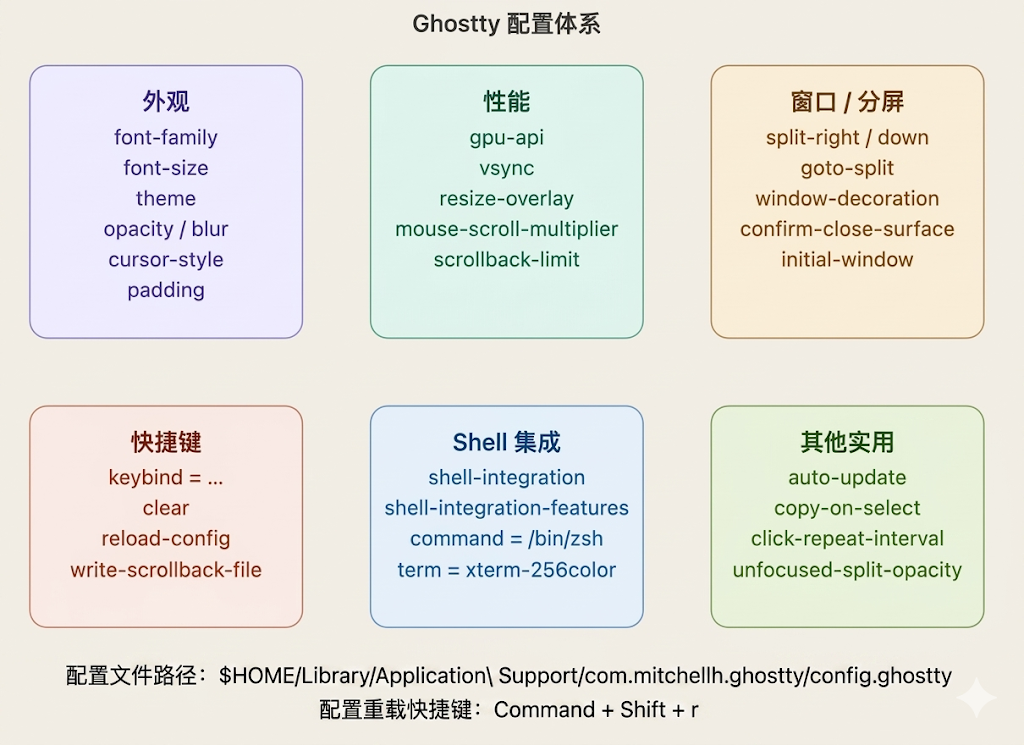
Mac 配置地址:$HOME/Library/Application\ Support/com.mitchellh.ghostty/config.ghostty
1
2
3
| cd $HOME/Library/Application\ Support/com.mitchellh.ghostty/
vim config.ghostty
|
1
2
3
4
5
6
7
8
9
10
11
12
13
14
15
16
17
18
19
20
21
22
23
24
25
26
27
28
29
30
31
32
33
34
35
36
37
38
39
40
41
42
43
44
| font-family = "Maple Mono NF CN"
font-size = 16
theme = "Rose Pine"
background-opacity = 0.92
window-padding-x = 12
window-padding-y = 8
cursor-style = bar
cursor-style-blink = true
# resize-overlay = never
# 调整窗口大小时不显示尺寸浮层
scrollback-limit = 1000000
# 回滚行数(默认已够用)
mouse-scroll-multiplier = 3
# 鼠标滚轮速度倍率
# window-decoration = false
# 保留系统标题栏(false 更沉浸)
confirm-close-surface = false
# 关闭分屏时不弹确认框
unfocused-split-opacity = 0.7
# 失焦的分屏面板变暗,更聚焦
# 分屏快捷键(可自定义)
keybind = super+d=new_split:right
keybind = super+shift+d=new_split:down
keybind = super+alt+left=goto_split:left
keybind = super+alt+right=goto_split:right
shell-integration = detect
# 自动检测 bash/zsh/fish
shell-integration-features = cursor,sudo,title
term = xterm-256color
# 兼容性最佳
copy-on-select = true
# 选中即复制(类 Linux 习惯)
auto-update = check
# 自动检查更新但不自动安装
click-repeat-interval = 300
# 双击选词的时间间隔(ms)
# 重载配置快捷键
keybind = super+shift+r=reload_config
|
参考